
RACES
Registration And Competitive Events System
Connecting Your VelociDrone Account in RACES, using a Detached Member
STEP 1 - Find Your VelociDrone Player Name and User ID (UID)
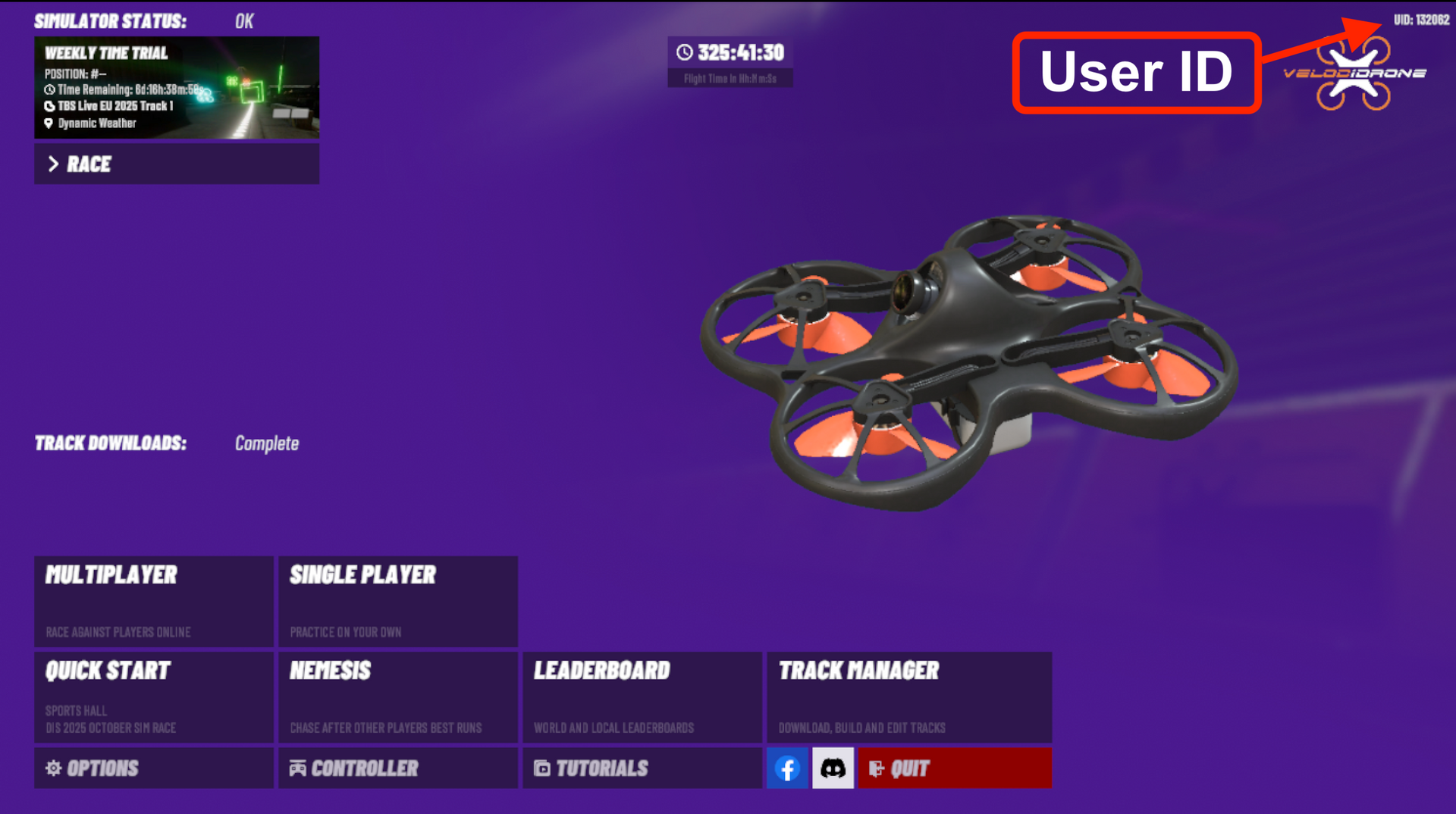
Open VelociDrone and find your User ID (UID) in the upper right corner of the main screen.
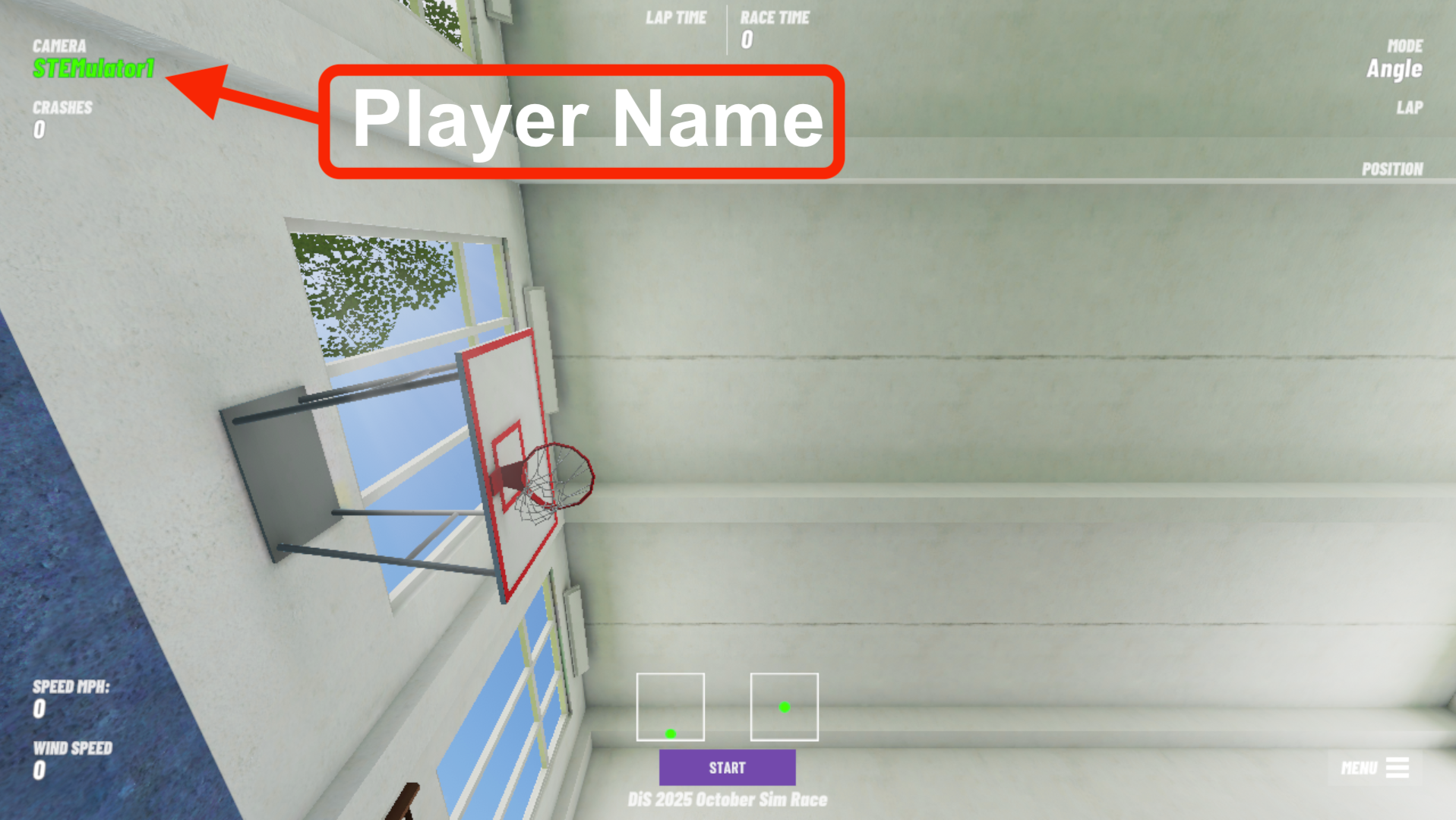
You can find your VelociDrone Player Name in the upper left corner whenever you are racing in the sim.
STEP 2 - Create a Detached Member for Your VelociDrone Account
Log in to races.dronesinschool.com
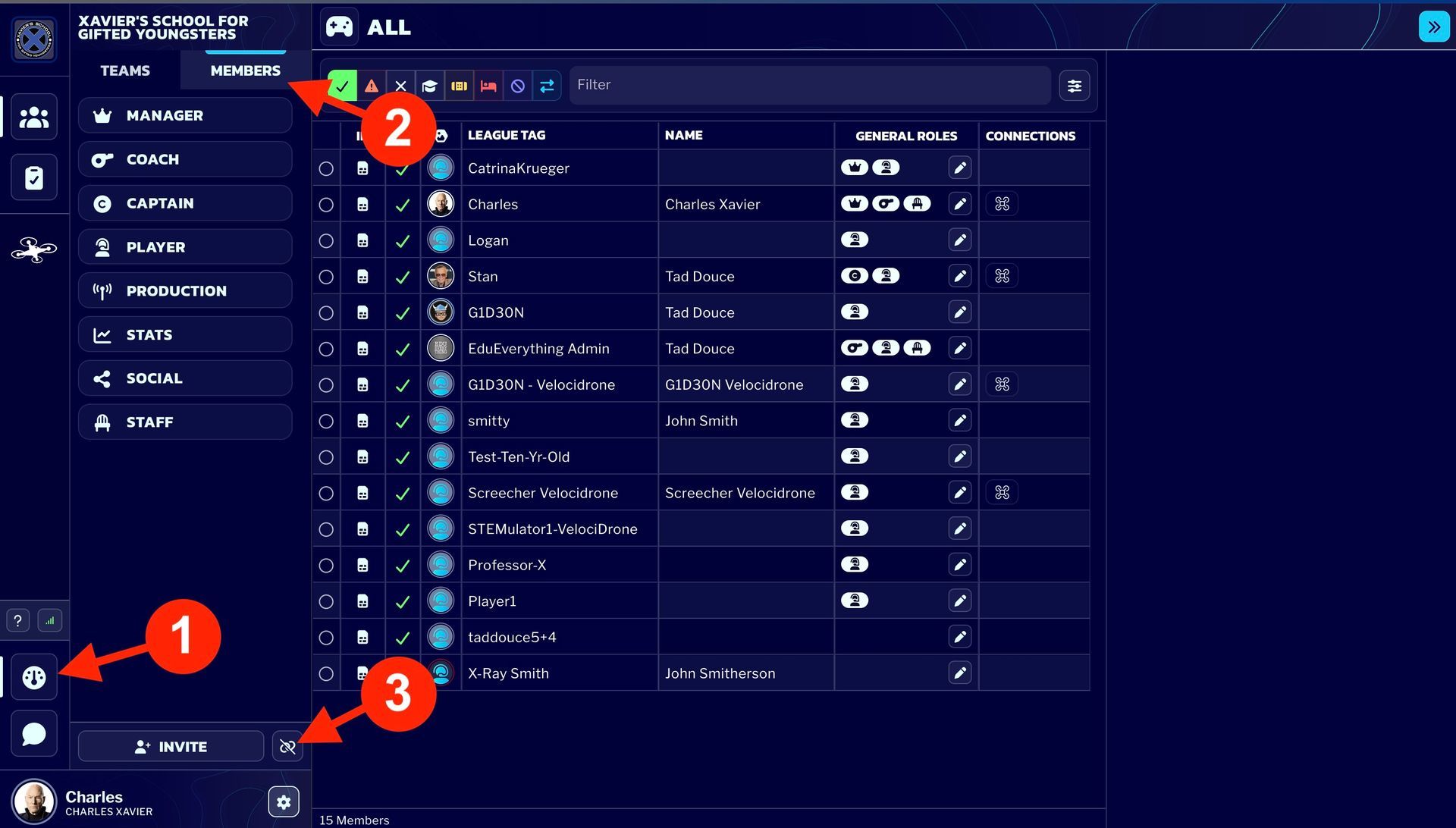
1 - Navigate to the "Dashboard".
2 - Click "Members"
3 - Click the "Create Detached Member" link
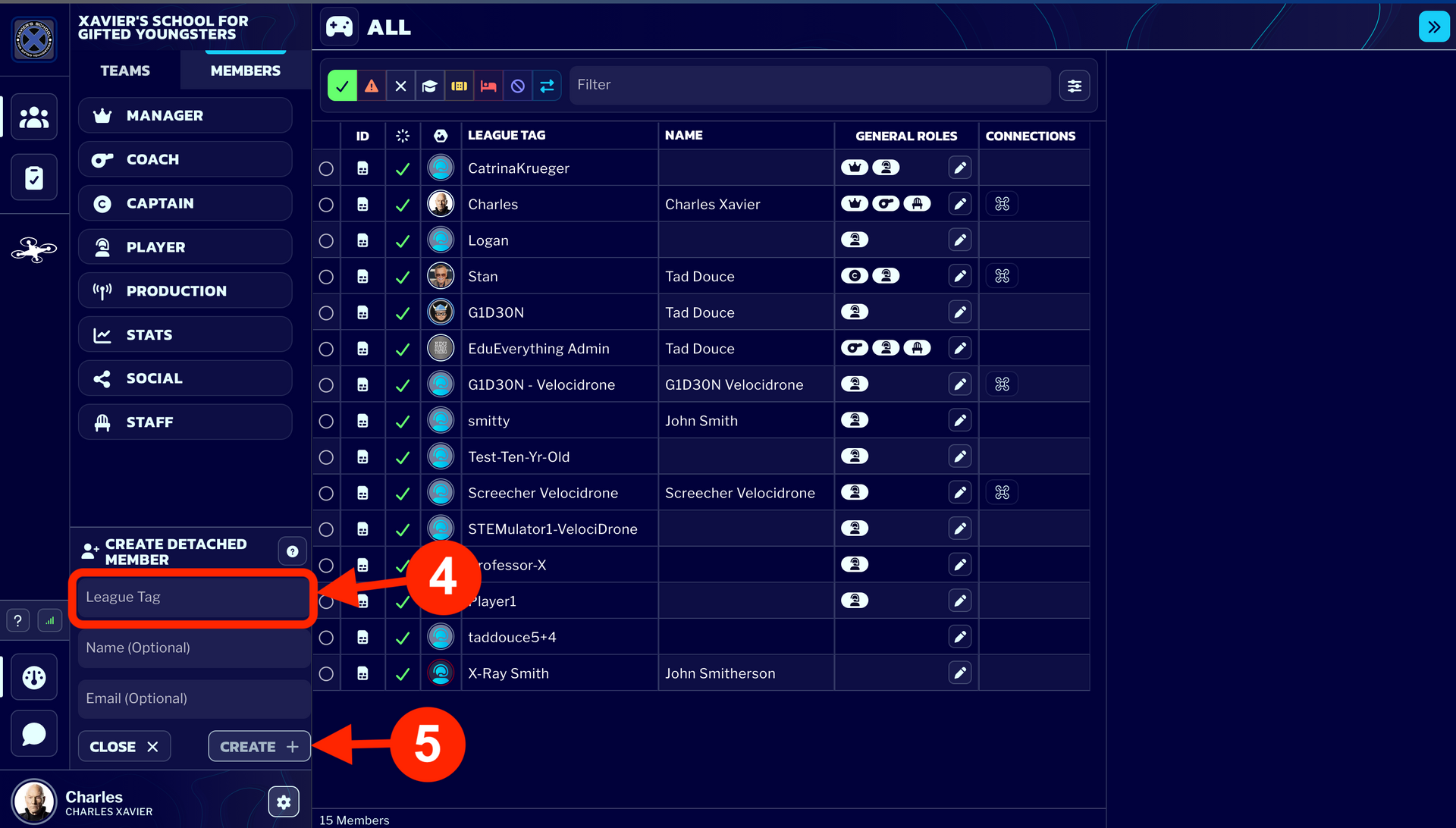
Create the Detached Member Account.
4 - Enter your VelociDrone League Tag followed by "-VelociDrone"
5 - Click "Create"
STEP 3 - Add the new Detached Member to Your Team
Find your Team
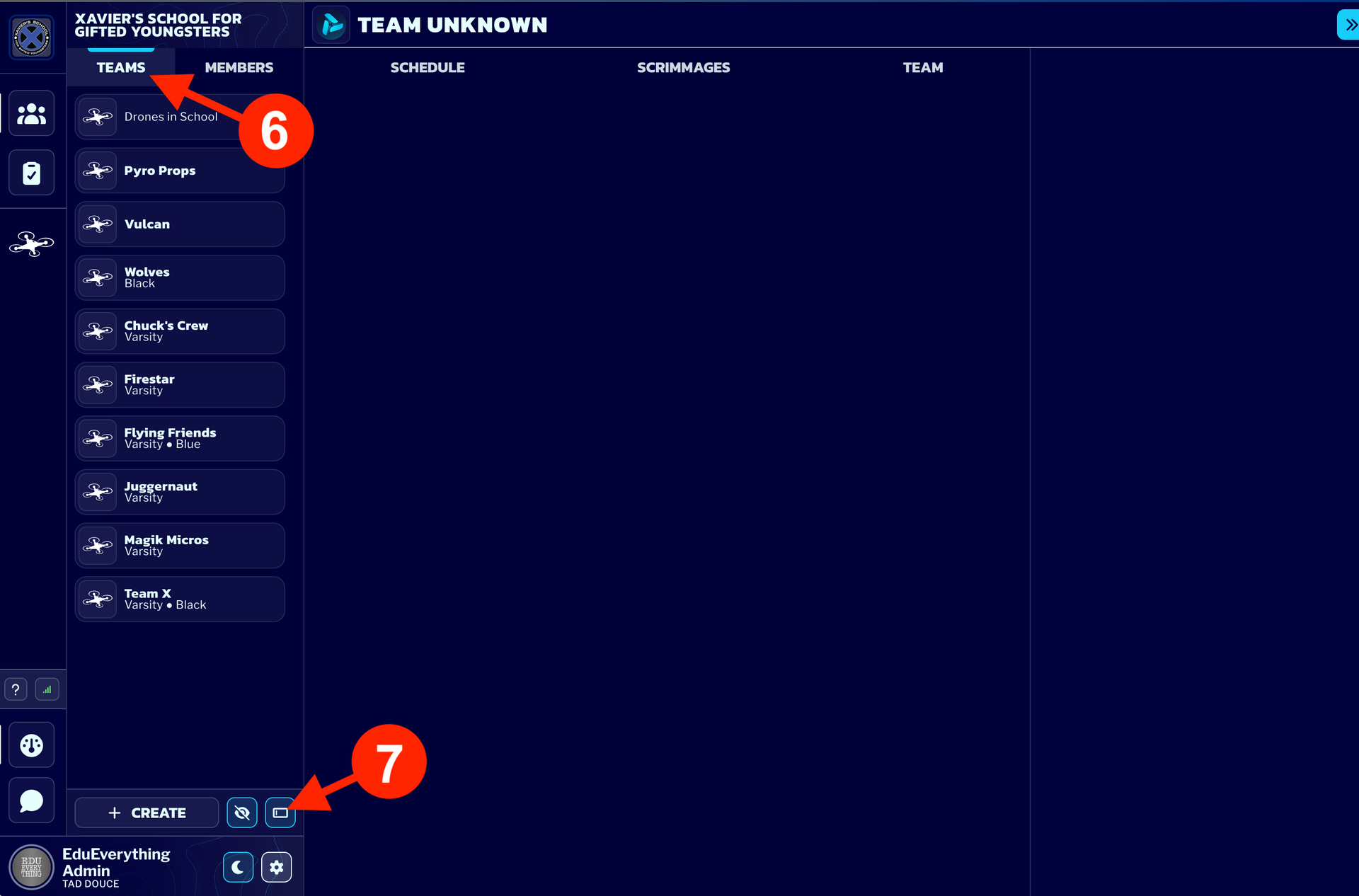
6 - Select "Teams"
7 - Click to toggle between "Standard Names" and "Custom Names"
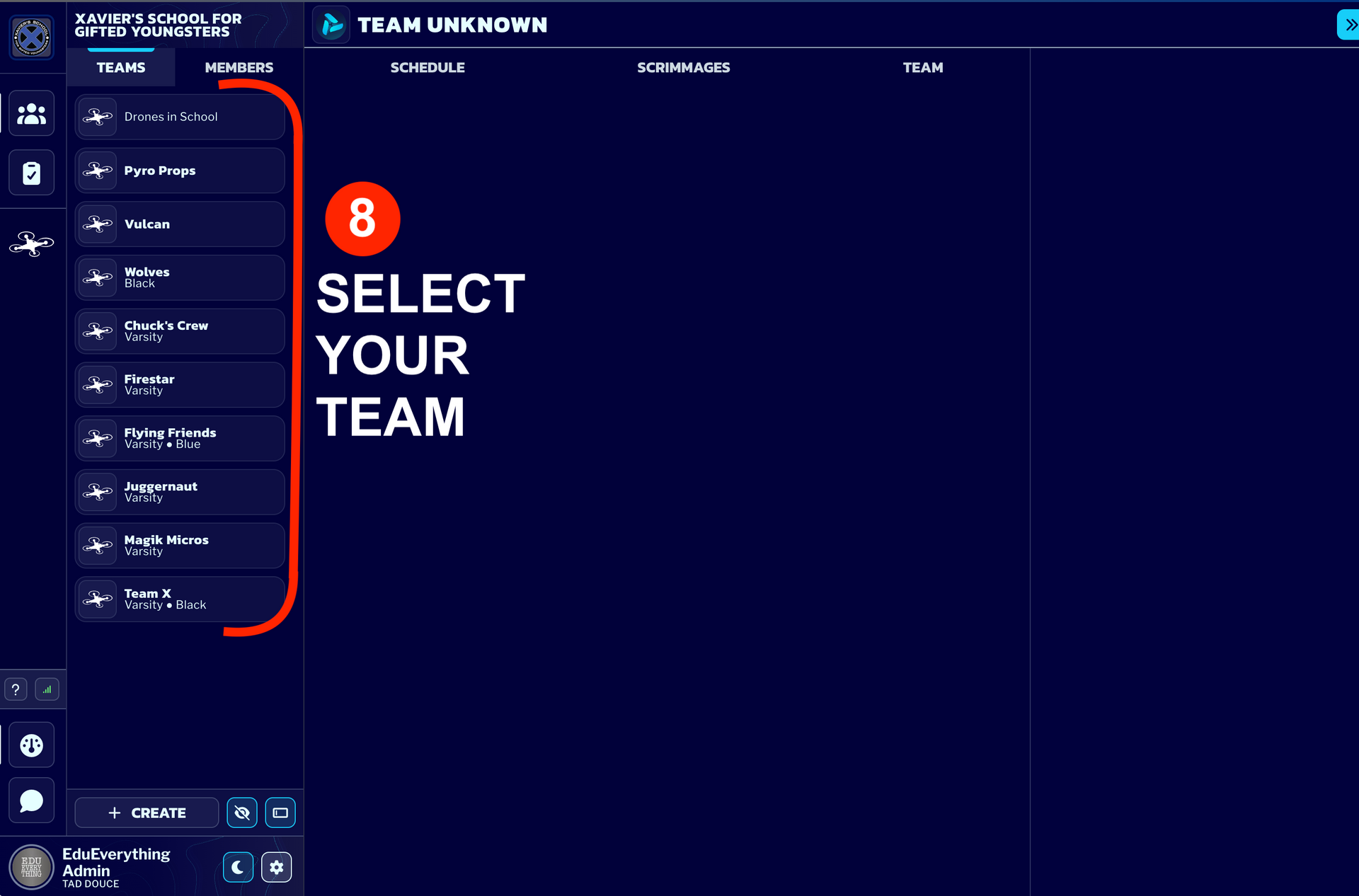
8 - Select your team.
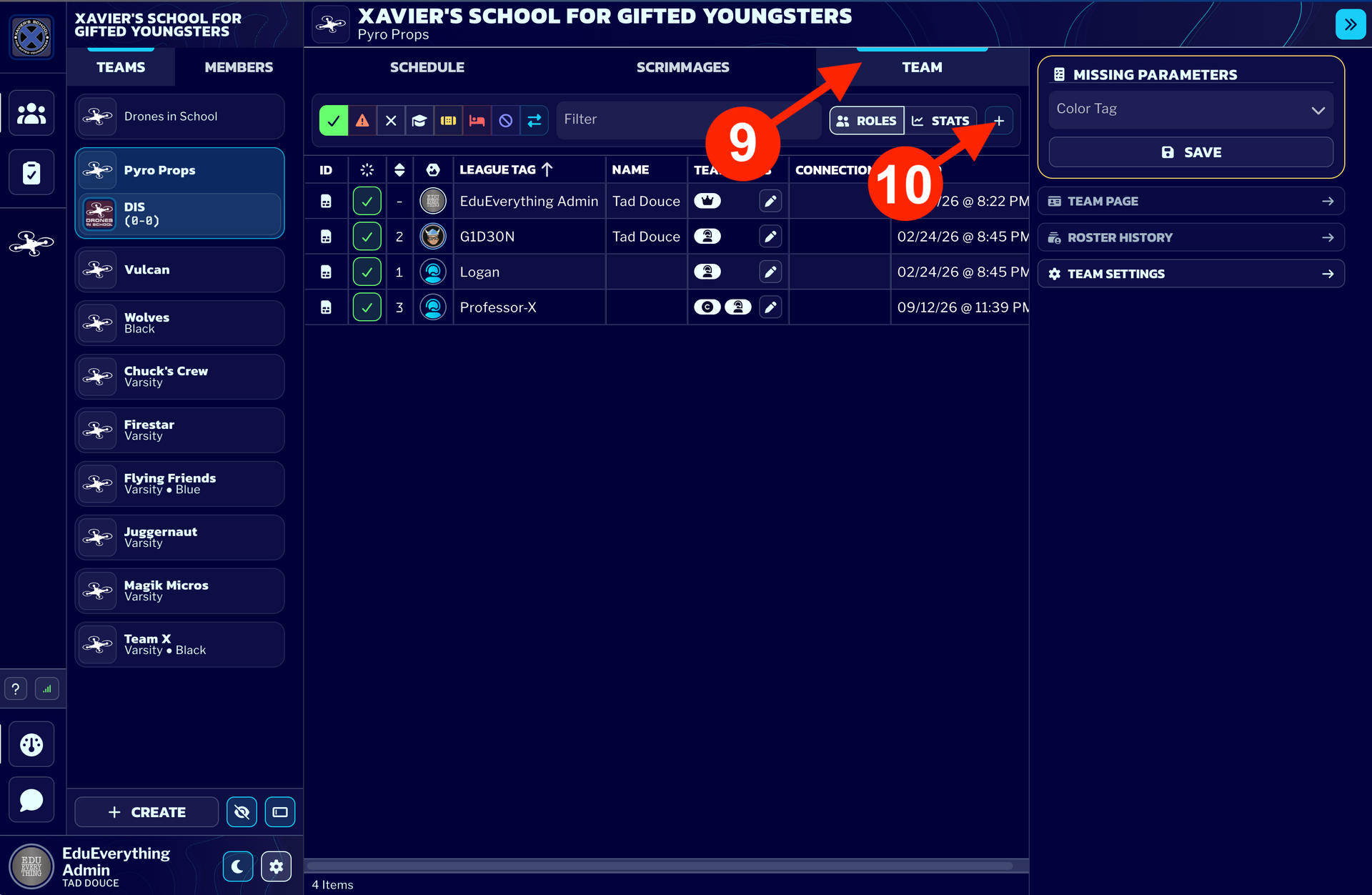
9 - Click on the "Team" tab to see all of the team members.
10 - Click the "+" to add a new team member.
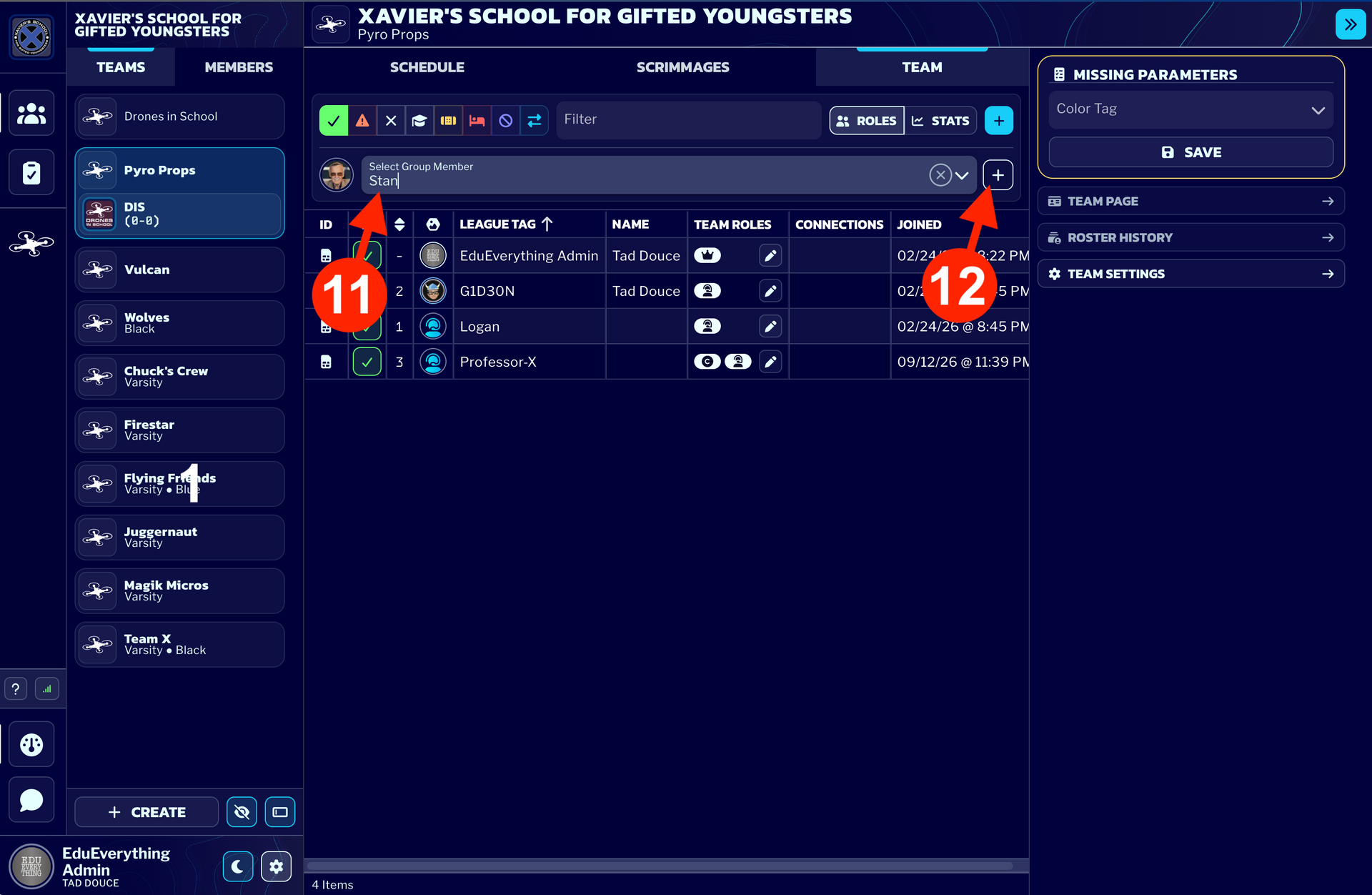
11 - Find the team member you want to add to the team.
12 - Click the "+" to add a new team member.
STEP 4 - Email Us and We'll Connect the VelociDrone account to the new Detached Member
Send an email to: info@dronesinschool.com
Subject: VelociDrone Connection in RACES
Include the following in the body of the message:
School/Organization Name:
VelociDrone Player Name:
VelociDrone User ID (UID):
RACES League Player Tag / Name:
Once we have that information, we will add the VelociDrone connection to that detached player's account. Then, whatever team that player is rostered in will be credited for the VelociDrone times on the leaderboard for that VelociDrone account.